Cultural wear
Virtual saree try-on: see any saree draped on you
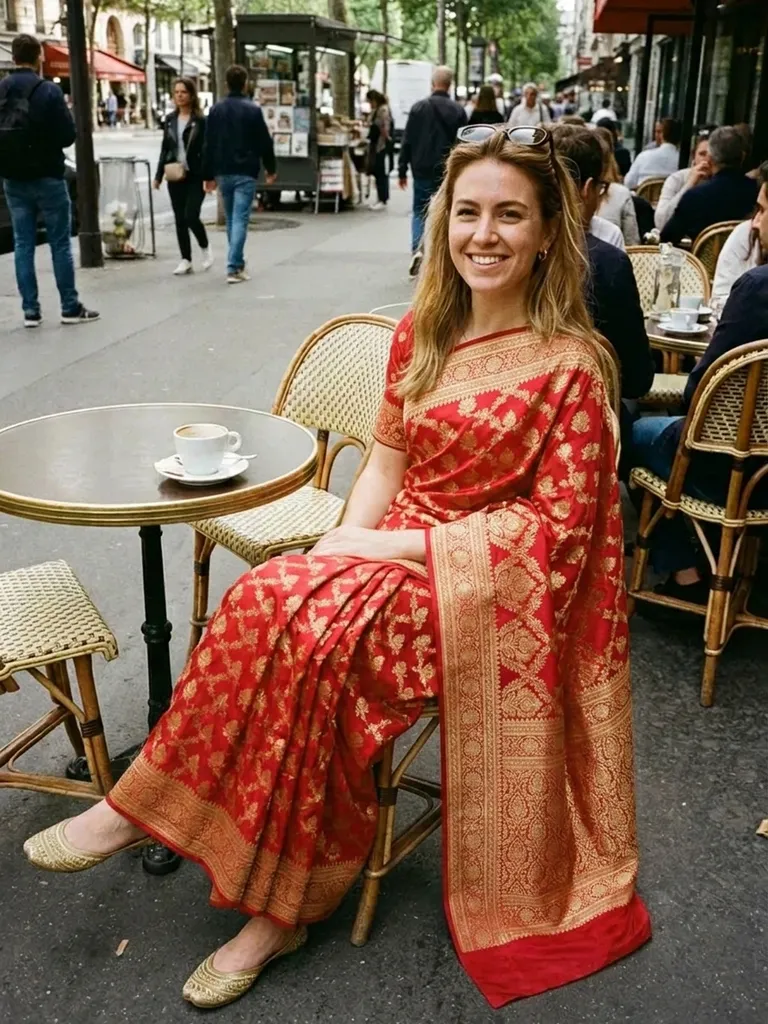
Virtual saree try-on shows you wearing any saree – silk, chiffon or designer – on your own photo in about a minute. Upload your picture, add a saree from any shop or website and see the colour, border and drape on you before buying.
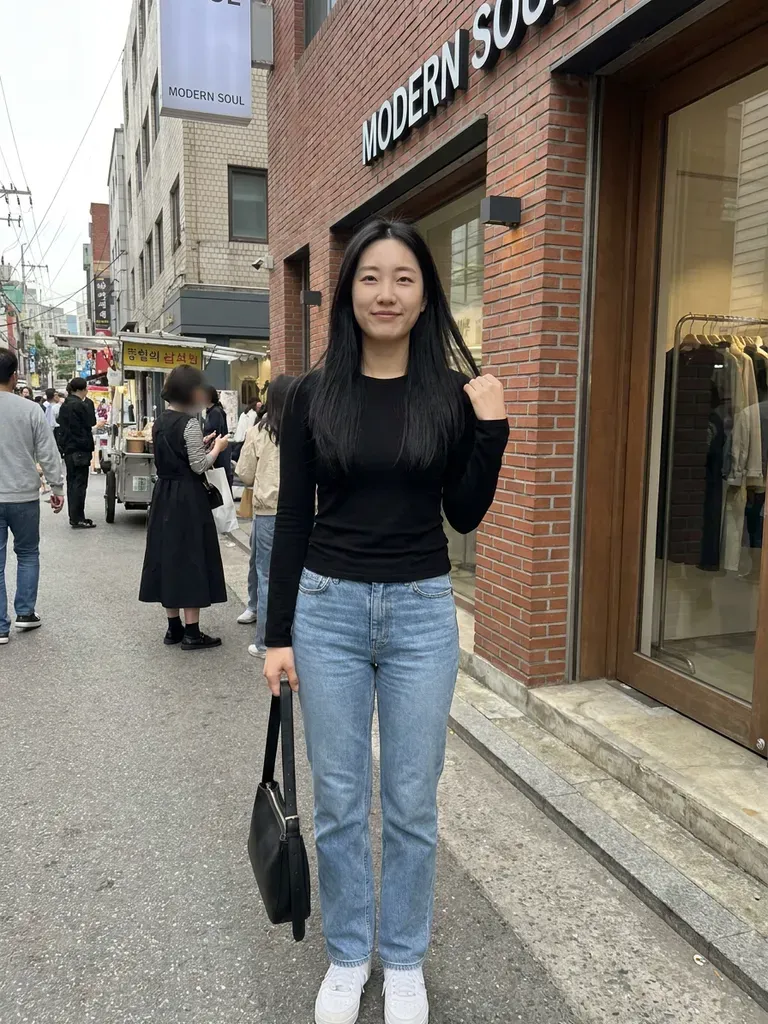
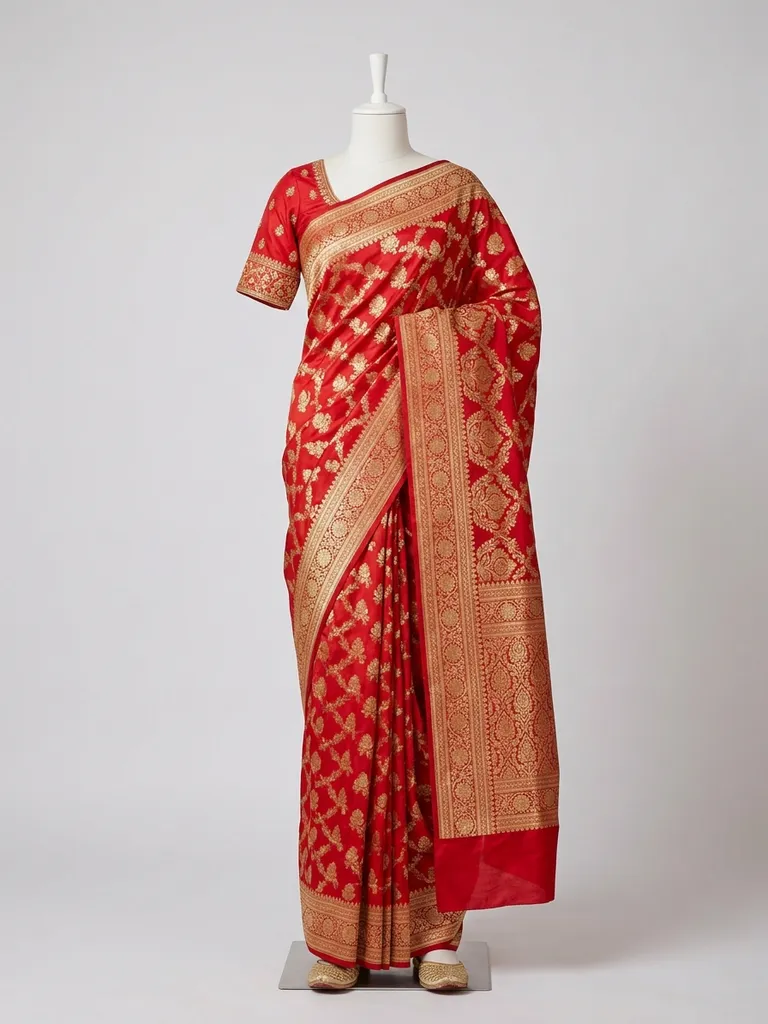
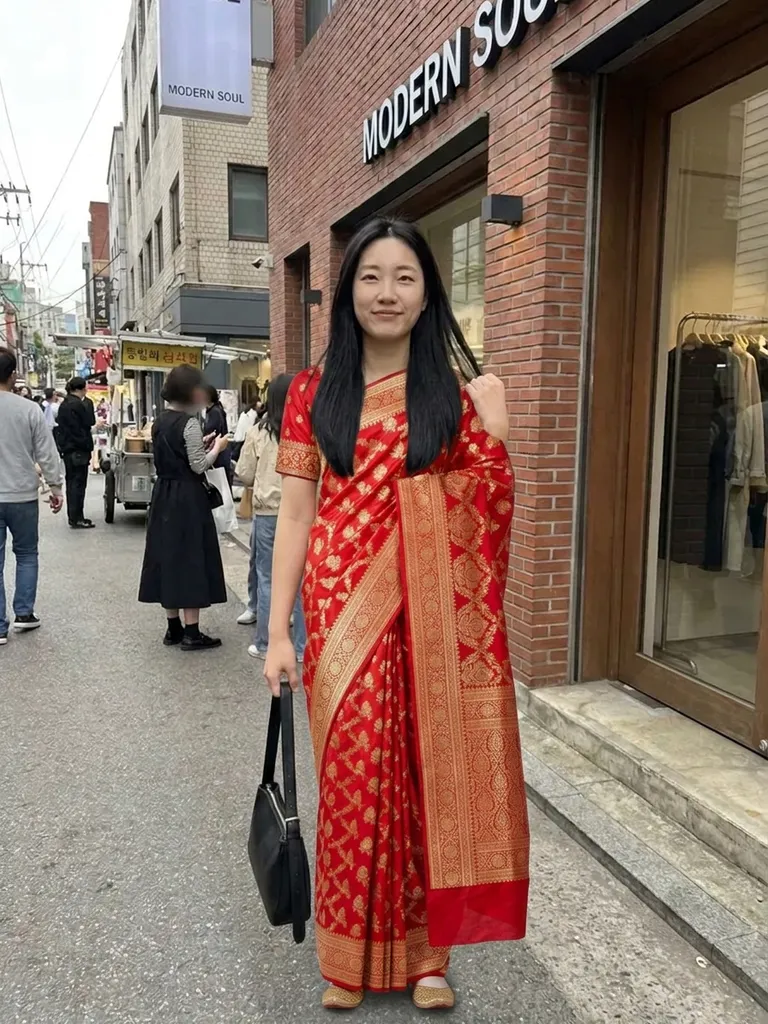
How it works
1
Upload your photo
Full-length, standing straight, in good light.
2
Choose a saree
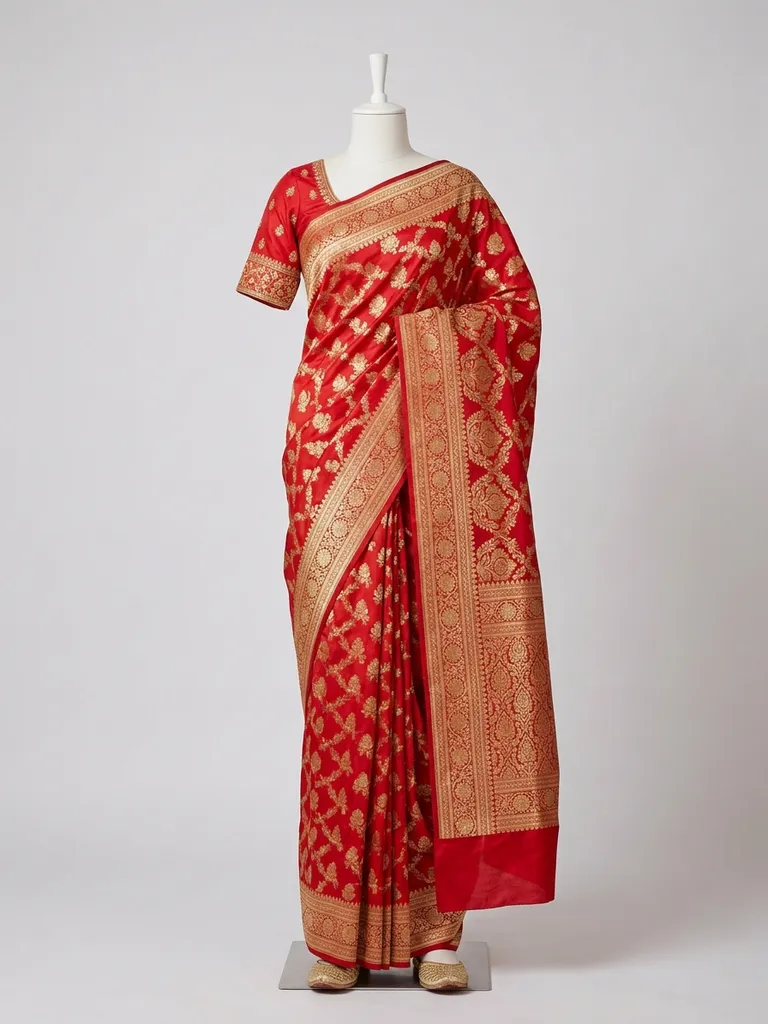
Use a photo of the saree draped on a model – from an online store, a designer page or Instagram.
3
See it draped on you
In 30–60 seconds you’ll see the saree on your body, with your face and hair unchanged.
Why try it on with Outfitap
Check colour against your skin
See whether a deep maroon, mustard or pastel suits you before choosing.
Compare silk and lightweight sarees
Preview a heavy Banarasi next to a light georgette or chiffon.
Plan wedding and festival looks
Shortlist sarees for weddings, Diwali, Durga Puja or Onam.
Shop across the world
Try sarees from Indian brands even if you live abroad.
Blouse and border visible
See how the border, pallu and blouse look together on you.
Private
Your photos are processed in memory and never stored.
Why try sarees on virtually
Sarees are often bought online, especially by families outside India, and a six-yard drape is hard to imagine from a folded product shot. Virtual try-on shows the colour, border and overall look on your own photo, which makes it easier to decide between options for a wedding, festival or family function. It won’t replace a real draping session, but it narrows the choice quickly. Families often share previews over messaging apps to agree on a saree for a wedding before buying – a much easier conversation when everyone can see it on you.
What works best for saree photos
The AI needs to see the saree as it’s worn, so pick a photo of the saree draped on a model rather than a folded or flat-lay image. Make sure the pallu and pleats are visible. Your own photo should be full-length and front-facing; the drape style shown in the outfit photo – Nivi, Bengali or Gujarati – is the one the AI will follow. Choose the outfit photo with the blouse style you want too – sleeveless, elbow-length or full sleeves – since the AI tries on the complete look shown.
Saree styles to try
Try a Banarasi silk with zari work, a Kanjeevaram in temple colours, a lightweight chiffon or georgette, an organza saree with floral prints, a Chanderi cotton, a Bandhani from Gujarat, a pre-draped designer saree and a sequinned party saree. For weddings, compare a classic red silk with a modern pastel. Lehengas, salwar kameez and Anarkali suits work the same way if you want to compare a saree with another outfit for the same event.
Frequently asked questions
Yes. Upload a full-length photo of yourself and an image of the saree draped on a model. Outfitap shows you wearing it in about a minute.
Not well. The AI needs to see the saree draped. Use a model or mannequin photo that shows the pleats and pallu. Ideally, choose an image that shows one complete look clearly – on a model, a mannequin or laid flat – without collages, watermarks or text banners covering the clothes.
Yes. The AI keeps your face, hair, pose and background exactly as photographed and changes only the clothing. Anything already in your own photo – hairstyle, make-up, glasses – stays exactly as it is, so style those first if you want the complete look.
Yes, it’s free to start. Every new account gets 2 complimentary try-ons after signing in with an email link – no card needed. After that, packs start at €1.99 for 10 try-ons, and credits never expire.
No. A heavy silk and a light chiffon may look similar in a still image. Check the fabric details on the product page. The preview is ideal for comparing styles and colours quickly – then read the product details or visit a store for the feel of the fabric.
No. Your photos are processed in memory during generation and then discarded – they’re never stored or used to train AI. On the web, the finished result is kept for 24 hours so you can download it, then deleted.
More try-on ideas
Try it on free
Try on sarees online with AI. Preview Banarasi, Kanjeevaram, chiffon and designer sarees on your photo before you buy. Free to start.